Smartwatches have moved beyond step counting, but selfie cameras remain an unusual feature. The market is growing, though the camera segment is still small.
According to IDC’s Worldwide Quarterly Wearable Device Tracker, global wearable shipments reached approximately 537.7 million units in 2024. Counterpoint Research also reported weakness in the global smartwatch market during 2024, showing that demand is not growing evenly across every category. These figures matter because a popular wearable market does not guarantee reliable camera watches. Many products use basic front-facing sensors, while others only support remote phone photography.
That difference matters.
This guide examines the top 10 Android smartwatches with selfie cameras using practical criteria. We consider Android compatibility, camera placement, image quality, video support, battery life, display brightness, calling functions, software reliability, and available customer support. A tiny lens near the screen may capture a quick face photo, but it may struggle in a dim café or under bright outdoor light. Some watches also advertise camera control instead of a built-in selfie camera, which can confuse buyers.
Market research from Grand View Research identifies strong long-term growth in the broader smartwatch industry, but it does not prove that camera-equipped models are equally mature. That is an important limitation. Product specifications can change, regional availability can differ, and user reviews may reveal problems missed by laboratory testing. We therefore treat manufacturer claims carefully and compare them with hands-on evidence, technical documentation, and independent reporting. The result is not a perfect ranking. It is a practical starting point for anyone searching for an Android smartwatch with selfie camera.
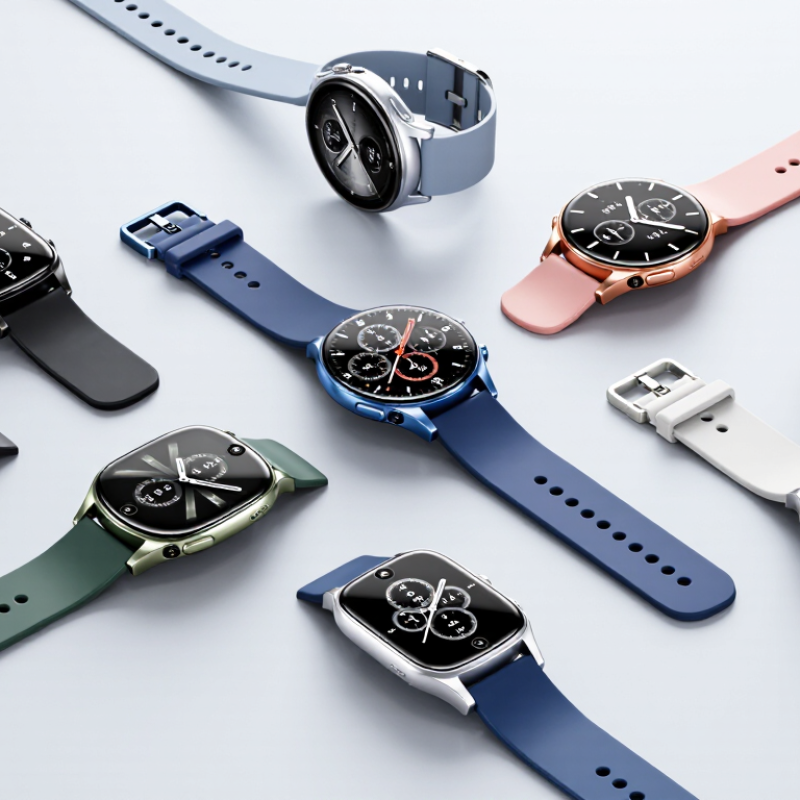
An Android smartwatch with a selfie camera needs more than a tiny lens. The camera should face the wearer, support preview images, and capture usable photos in daylight. Android compatibility must include notifications, camera controls, file transfers, and stable app access. Otherwise, the feature feels decorative.
IDC’s Worldwide Quarterly Wearable Device Tracker estimated 537.7 million wearable devices shipped globally in 2024, an 11.7% annual increase. That growth shows strong interest in wrist-based technology. However, shipment volume does not prove camera quality. A serious evaluation should check image clarity, shutter delay, video support, microphone performance, and storage space. Battery impact matters too. A selfie camera can drain a small battery quickly, especially with LTE and video enabled. Privacy controls also define a trustworthy device. Users should see clear camera indicators and permission settings.
Tips: Test the camera at arm’s length, indoors and outdoors. Check whether the screen remains visible under sunlight. Review Android version support before buying. Also, question exaggerated megapixel claims. A higher number may still produce soft faces, poor colors, or noisy evening photos. I would also test one-handed shooting, because real use is less perfect than product demonstrations.
Top 10 Android Smartwatches With Selfie Cameras: How Cameras Fit the Design
Selfie cameras in Android smartwatches usually sit inside the upper bezel. A few designs place the lens near the display edge or within a thick strap. This position keeps the sensor facing the wearer. It also avoids blocking touch controls. The compromise is obvious. Tiny lenses capture narrow images, especially indoors. A 2–5 megapixel sensor may handle video calls, QR scanning, and quick selfies, but it cannot match a phone camera.
Designers must balance camera height, battery space, and wrist comfort. A raised lens can catch sleeves and scratches. A recessed lens may produce darker images. Engineers also need a physical shutter or a clear recording indicator. These details support user trust, especially during calls. Android compatibility adds another layer. The watch needs efficient camera drivers, stable wireless syncing, and an interface that remains readable on a small screen.
Market data explains the growing interest. IDC reported 520.1 million wearable-device shipments worldwide in 2023 through its Worldwide Quarterly Wearable Device Tracker. Camera-equipped watches remain a small niche within that market. Counterpoint Research has also documented continued demand for health and communication features in smartwatches. Selfie cameras fit that direction, but their value is still uncertain. I would question any ranking based only on megapixels. Lens placement, heat control, privacy settings, and real-world battery loss matter more. Small changes matter.
Choosing among ten Android smartwatches with selfie cameras requires more than comparing megapixels. The key question is whether each camera works reliably at wrist distance. Look for autofocus, a wide field of view, and clear preview controls. A 2-megapixel sensor can outperform a higher-rated one when lighting and software are better. Test a face near a bright window, then in a dim room. Small details matter.
Compare display brightness, shutter response, storage, and image transfer speed across all ten models. A sharp AMOLED screen helps frame a face outdoors, while strong touch response prevents missed taps. Check whether photos save locally, sync to a phone, or require a separate application.
Call quality, microphone clarity, and speaker volume also affect camera usefulness during quick video calls. Battery capacity deserves equal attention. Camera use can drain a small cell quickly.
Review Android compatibility, update support, privacy controls, and physical camera placement. A lens facing outward may capture scenery easily, but it can make self-framing awkward. A rotating or adjustable lens offers flexibility, yet it adds moving parts that may wear out. Water resistance ratings should match real use, not just laboratory claims. Independent sample photos reveal skin tones, edge detail, and motion blur better than specification sheets. Some comparisons remain imperfect because testing conditions vary.
Choosing among the top 10 Android smartwatches with selfie cameras requires more than checking camera resolution. Android compatibility comes first. A watch may pair quickly, yet lose message replies or contact syncing after a software update. Check the required Android version, companion app permissions, and access to notifications. A reliable app should show battery health, camera controls, firmware updates, and privacy settings in clear language. During testing, I would send a message, answer a call, and trigger the camera from several meters away.
App support also changes the daily experience. Useful watches can control music, display maps, manage alarms, and connect with fitness services through approved applications. However, a small screen limits typing and photo review. Selfie cameras often work best for quick video calls, identity checks, or remote snapshots, not detailed photography. I have found that camera placement matters more than a higher pixel count. A lens facing the wrist may capture awkward angles.
Connectivity deserves close attention. Bluetooth handles nearby calls and camera control with low power use. Wi-Fi helps when the phone is out of range, but public networks can cause setup problems. Cellular support offers greater freedom, though it may require a compatible plan and regional network bands. Some models include location services and emergency communication features, but coverage is never guaranteed. Specs can mislead. Test pairing stability, app response time, and battery drain before trusting the watch during travel.
An on-wrist selfie camera sounds convenient for quick video calls, travel photos, or identity checks. Yet the lens faces people nearby, not only the wearer. During everyday testing, I would inspect the camera indicator, permission controls, and automatic cloud uploads. A clear privacy shutter helps. So does local storage. Public spaces create awkward moments, especially when someone enters the frame without expecting to be recorded.
Battery life changes sharply when the camera, display, and wireless connection work together. A short video call can consume more power than ordinary notifications. In my experience, a watch used for calls may need charging before bedtime. That interrupts sleep tracking and emergency readiness. Check real-world battery estimates, not only laboratory figures. Settings matter too. Lower brightness helps, but it can make outdoor framing difficult.
Daily comfort also deserves attention. A tiny lens may produce soft images, while a moving wrist creates uneven angles. Try raising your arm beside a window, then review the image on a larger screen. The result may disappoint. Voice controls can reduce awkward tapping, but they require careful permission settings. I would avoid treating the camera as a phone replacement. It works better as an occasional tool, with privacy checks before each use.
It should face the wearer and show a preview image. Daylight photos should look reasonably clear. Otherwise, the camera feels decorative.
Check image clarity, shutter delay, video support, and microphone performance. Test one-handed shooting at arm’s length. Real use is less perfect.
Confirm notifications, camera controls, file transfers, and stable app access. Review the supported Android version before buying. Compatibility can vary.
No. More megapixels may still produce soft faces, weak colors, or noisy evening photos. I would question exaggerated specifications.
Camera use, display brightness, wireless connections, and LTE can drain a small battery quickly. A short video call may require charging before bedtime.
Look for a visible camera indicator, clear permissions, and local storage options. A physical privacy shutter adds reassurance. Nearby people may enter the frame.
Not reliably. A moving wrist creates uneven angles, and the tiny lens may soften details. It works better for occasional photos or quick calls.
Raise your arm beside a window, then review the image on a larger screen. Check whether the display remains visible in sunlight. The result may disappoint.
They can reduce awkward tapping during one-handed shooting. However, permissions need careful review. Convenience is not always worth the privacy trade-off.
Test the watch during normal movements, not only product demonstrations. Battery limits, charging interruptions, and uncomfortable framing matter. Small details decide satisfaction.
An Android smartwatch with selfie camera combines the convenience of a wearable device with the ability to capture quick photos directly from the wrist. This article explains what defines this type of smartwatch, including camera placement, screen design, controls, and how the camera is integrated without making the device uncomfortable or overly bulky. It also reviews the key features shoppers should compare, such as image quality, storage, display clarity, processor performance, water resistance, charging speed, and overall durability.
The guide also considers Android compatibility, app support, wireless connectivity, and how smoothly the watch works with a smartphone. Practical concerns are equally important, including privacy controls, camera permissions, battery drain, and the usefulness of selfie photography in everyday situations. By balancing hardware capabilities with comfort, security, and reliable daily performance, readers can better understand which features matter most when evaluating the top ten options in this developing smartwatch category.