A wrist call sounds convenient until traffic noise swallows a sentence or the watch slips beneath a jacket cuff. Choosing a Bluetooth calling smartwatch involves more than checking whether it has a microphone and speaker. Comfort, phone compatibility, call controls, battery life, and dependable Bluetooth performance all shape everyday use. Small details matter.
The market is large, but market growth alone cannot identify a good watch. IDC reported that worldwide wearable-device shipments reached 534.6 million units in 2024, up 6.1% from 2023. That figure covers many wearable categories, not just calling watches, so it is useful context rather than proof of call quality. The Bluetooth SIG’s 2023 Market Update projected annual Bluetooth device shipments would reach seven billion by 2028. This broad forecast also includes products beyond smartwatches. Neither report tells you how clearly a particular model handles a call in a busy street.
That is where practical checks matter: microphone placement, speaker volume, connection stability, and whether calls work with your phone. A bright display is less helpful if tiny buttons are awkward during a walk. Battery claims deserve scrutiny, too; frequent calls may shorten time between charges. No single specification guarantees a satisfying experience. The seven tips below turn these trade-offs into concrete checks, helping you compare watches against your routine instead of relying on marketing language alone.
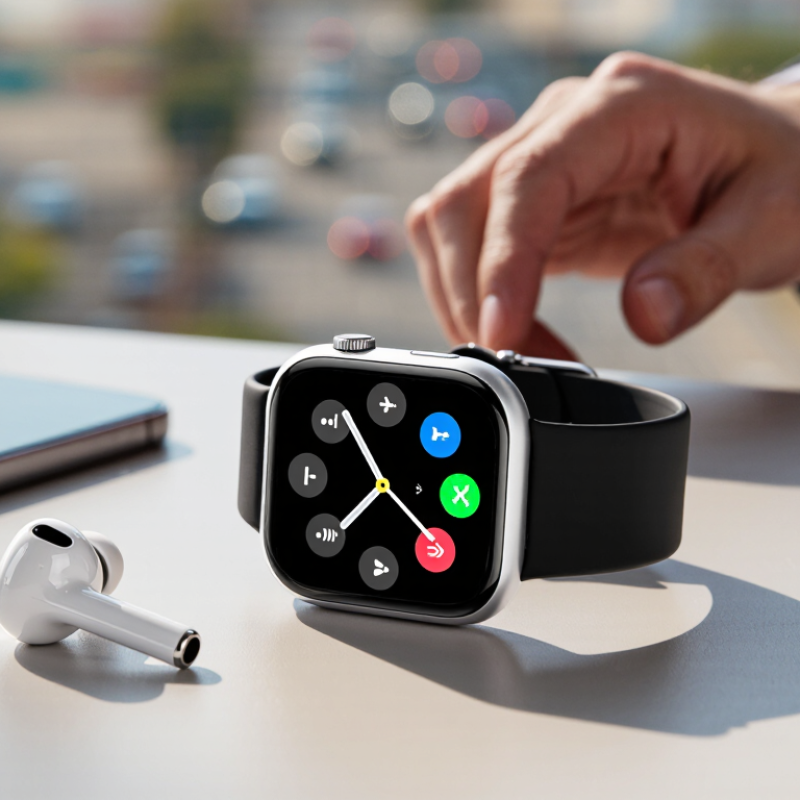
A Bluetooth-calling smartwatch usually works as a wireless extension of a nearby phone, not as a tiny independent phone. After pairing, the watch uses Bluetooth’s hands-free calling connection to send your voice from its microphone and play the caller’s voice through its speaker. The phone still handles the mobile network connection. Keep it close. A wall, crowded room, or low battery can affect the experience.
Bluetooth SIG’s 2024 Market Update projects annual shipments of nearly 7 billion Bluetooth devices by 2028. IDC’s Worldwide Quarterly Wearable Device Tracker forecast 537.9 million wearable-device shipments in 2024. These figures describe a growing device ecosystem, not how clearly a particular watch handles calls. Check that the watch supports Bluetooth calling, and test its microphone and speaker in a noisy place if possible. Specifications alone can be misleading.
Before choosing, confirm that the watch works with your phone’s operating system and supports the call features you actually use. Some watches can answer calls but offer limited call controls or inconsistent contact syncing. That is easy to overlook. Check whether calls route through the watch automatically, whether you can switch audio back to the phone, and how long the battery lasts during calls. Real-world performance varies, and a quiet shop test may not predict a windy commute.
Tip 1: Check the watch’s compatibility list against your phone’s exact operating system and model. “Android compatible” or “works with iPhone” can hide important limits. Some calling features may require a recent software version or a companion app. Read the manufacturer’s support details, not just the product headline. Small print matters.
Tip 2: Confirm that the watch supports Bluetooth calling with your phone, rather than only showing call alerts. Bluetooth version numbers alone do not guarantee voice calls. Look for clear support for phone-call audio, including microphone and speaker use. If you can, test a short call in a quiet room. Listen for voices that sound clear, and check whether the other person can hear you without shouting.
Tip 3: Think about daily connections. Pair the watch using the recommended setup steps, then walk a few metres away with your phone in a pocket or bag. Notice whether the call stays connected and whether audio switches back to the phone when you end it. It may not work perfectly on the first try. That is useful information, not a reason to guess. Check whether other connected devices, such as earbuds, affect call routing. Test your usual setup before relying on the watch for hands-free conversations.
A Bluetooth calling watch should sound clear at your wrist, not merely loud. Check that its microphone openings sit clear of your sleeve, then call from a quiet room and beside steady traffic. Ask the other person whether your voice sounds thin, muffled, or chopped. Bluetooth SIG’s 2024 Market Update estimates 5.4 billion Bluetooth devices shipped in 2023, with annual shipments projected to reach 7.6 billion by 2028. That growth is useful context, not proof that any watch handles calls well. Real rooms are messier.
Listen for echo and distortion, especially when the speaker is turned up. A strong speaker can help in a kitchen, but it may leak sound back into the microphone. Test at normal speaking distance, then lower the volume and move your wrist naturally. Check whether background-noise reduction preserves consonants; aggressive filtering can make words disappear. ITU-T P.863 is a standardized method for assessing perceived speech quality, but a rating cannot replace a real call. I still find quick showroom tests imperfect: quiet spaces hide the problems that matter outdoors. Compare calls in at least two settings, and ask the listener for specific feedback rather than relying on the watch’s advertised microphone count.
| Tip | What to evaluate | Practical check | Signs of good performance | Potential warning signs |
|---|---|---|---|---|
| 1. Test calls in quiet and noisy places | How clearly the microphone captures your voice and how well background noise is managed. | Make comparable calls indoors and outdoors, such as near ordinary street or café noise. Ask the other caller to describe what they hear. | Your voice remains understandable, with little distracting background sound. | Your voice becomes muffled, clipped, or difficult to distinguish from surrounding noise. |
| 2. Check microphone placement and pickup | Whether the microphone captures speech consistently while the watch is worn normally. | Speak at a natural volume with the watch fitted as recommended. Repeat a short sentence while moving your wrist naturally. | Speech stays clear without needing to raise your voice or hold your wrist unnaturally. | Sound changes sharply with small wrist movements, or the microphone seems easy to cover accidentally. |
| 3. Listen to the speaker in real conditions | Speech clarity and usable volume in the places where you expect to take calls. | Listen to a call at several volume settings in a quiet room and in a moderately noisy setting. | Voices are intelligible at a comfortable setting without obvious distortion. | Speech is hard to understand unless volume is near maximum, or becomes harsh and distorted when turned up. |
| 4. Check echo and two-way call quality | Whether both people can speak naturally without echo, feedback, or excessive delay. | Have a two-way conversation and ask the other caller whether they hear their own voice returned. | Both callers can take turns speaking without distracting echo or repeated audio. | Persistent echo, feedback, or audio dropouts interrupt the conversation. |
| 5. Verify Bluetooth connection stability | How reliably the watch stays connected to the paired phone during everyday movement. | Test with the phone in a pocket or bag, then walk through the areas where you normally use calls. Walls and other radio devices can affect results. | The call remains connected in your typical use locations. | Frequent disconnections or audio interruptions occur at ordinary working distances. |
| 6. Consider privacy and sound leakage | How easily nearby people can hear the watch speaker during a call. | At a comfortable listening volume, ask someone nearby whether they can make out the conversation. | Call audio is understandable to you without being unnecessarily loud in a quiet setting. | Nearby people can readily hear private conversation, even at a moderate volume. |
| 7. Check calling endurance and controls | Battery use during calls, call-answering steps, and access to mute and volume controls. | Review independent or personal call-use tests, then try answering, muting, adjusting volume, and ending a call from the watch. | Controls are easy to reach, and battery performance suits your expected call frequency. | Call controls are confusing or battery drain during calls is unsuitable for your routine. |
Battery life is more than a number on a product page. Call quality, screen brightness, notifications, and signal strength can all change real-world endurance. Compare estimates under similar settings, then ask whether the watch lasts through your longest day. A daily charger may be fine at a desk, but frustrating during travel. Check charging time, too. A quick top-up before a call can matter more than an impressive standby claim.
Comfort is easier to judge on your own wrist. Look for a light case, a strap that does not pinch, and buttons you can reach without twisting your hand. IDC’s Worldwide Quarterly Wearable Device Tracker estimated 537.9 million wearable-device shipments globally in 2024, a reminder that these products serve many routines and wrist sizes. Bluetooth SIG’s 2024 Market Update projected 5.4 billion Bluetooth device shipments that year. Connectivity is common, but call clarity still depends on microphone placement, speaker volume, and the phone connection. Test it in a quiet room, then near ordinary street noise.
Keep essential features practical: reliable call controls, readable alerts, a stable connection, and easy-to-use health tracking. Check which functions work without the phone nearby; many watches still need it for calls. A small flaw in my own checklist: I tend to overvalue extra features. A clear screen and a strap that stays comfortable after several hours can matter more.
Compare broad battery-life planning estimates by usage pattern. Frequent calls and an always-on display can shorten battery life; a comfortable fit and reliable call controls matter too.
These are approximate, general-use ranges—not guaranteed product specifications. Actual results vary with call time, display settings, GPS use, and other features. When choosing a watch, also check that it feels comfortable for all-day wear and has the calling and notification features you need.
A Bluetooth-calling smartwatch earns its place through daily reliability, not a long feature list. Check the case, strap, and screen for materials that can handle knocks, sweat, and frequent charging. Inspect the charging contacts, too; grime around them can become an annoying weak point. An IP rating helps, but it does not guarantee protection from every kind of water exposure. Read the maker’s specific limits before swimming or showering. Small details matter. Counterpoint Research’s Global Smartwatch Shipments Tracker reported a 7% drop in worldwide smartwatch shipments in 2024, the first annual decline. That market signal makes careful spending more sensible than chasing every new feature.
Compare the purchase price with likely ownership costs: replacement straps, screen repairs, and battery performance after regular calls. Bluetooth calling can drain power faster, especially when calls are frequent or the watch stays far from its paired phone. Try a short call in a noisy room; check microphone clarity, speaker volume, and comfort against your wrist. A low upfront price may feel less attractive if repairs are difficult or the battery cannot last through a normal day. I would still hesitate to treat any advertised battery estimate as a promise. Ask how the estimate was tested, then look for clear warranty terms and available service options before buying.
Usually, no. It uses Bluetooth to connect to your phone, which handles the mobile network call. Keep it close.
Confirm operating-system compatibility and the calling features you need. Some watches answer calls but have limited controls or unreliable contact syncing.
Make a call in a quiet room, then near steady traffic. Ask the listener whether your voice sounds muffled, thin, or broken up.
It can help in a noisy kitchen, but loud sound may echo into the microphone. Try normal volume and move your wrist naturally.
Walls, crowded rooms, distance, and low battery can affect the connection. A quiet store test may not predict a windy commute.
Frequent calls can drain the battery faster, especially when the phone is far away. Treat advertised battery estimates as guides, not promises.
Inspect the case, strap, screen, and charging contacts for signs of sturdy construction. An IP rating has limits, so check its specific water guidance.
Consider replacement straps, screen repairs, battery life, warranty terms, and service options. A low price may not stay low.
No. Test the microphone and speaker in more than one setting. I still find quick tests imperfect; they can miss problems outdoors.
Choosing the right Bluetooth calling smartwatch starts with understanding how it handles calls. These watches connect to a compatible phone through Bluetooth, allowing you to answer or make calls from your wrist when the devices are nearby. Before buying, check that the watch works with your phone and offers a reliable connection. Clear conversations also depend on the quality and placement of the microphone and speaker, so consider whether voices are easy to hear in the settings where you expect to use the watch.
Look beyond calling features to compare battery life, comfort, and useful everyday functions such as notifications and activity tracking. A lightweight fit and simple controls can make frequent use more pleasant, while a durable design may better suit your routine. Finally, compare the price with the features, build quality, and expected lifespan. Considering these factors together can help you choose a Bluetooth calling smartwatch that fits your needs and offers lasting value.