Choosing an AMOLED display smartwatch involves more than admiring bright colors in a shop. AMOLED panels can show deep blacks and vivid details, making maps, workout metrics, and notifications easier to scan. Yet a beautiful screen can still disappoint outdoors or drain the battery quickly. That matters.
Market context helps, but it cannot choose a watch for you. Counterpoint Research’s Global Smartwatch Shipments Tracker reported 4% year-over-year growth in global smartwatch shipments in 2024, after a 1% decline in 2023. These figures describe shipments, not display quality. Numbers need context. They do show why shoppers face a broad, changing selection, with different designs and feature priorities.
A useful comparison starts with the details you will notice daily: screen size, resolution, peak brightness, and always-on display behavior. Check whether text stays readable under midday sun, and whether the watch dims sensibly indoors. Then compare battery life with AMOLED features enabled, not just the maker’s best-case estimate. Consider the case material, water resistance, software support, health sensors, and phone compatibility, too. An impressive panel cannot compensate for a poor fit or confusing controls. Trade-offs remain. This guide explains how to weigh those factors, interpret specifications, and choose a watch that suits your routine rather than a product-page headline. It also flags a common mistake: treating a higher brightness number as proof of a better overall screen.
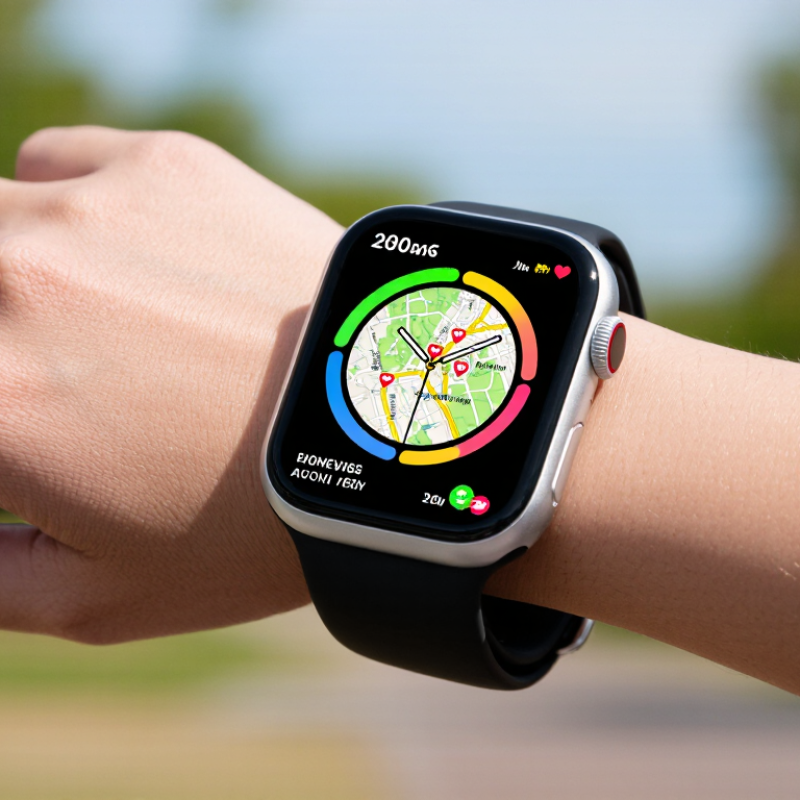
AMOLED stands for active-matrix organic light-emitting diode. Unlike an LCD, it does not need a backlight: each pixel produces its own light. When a pixel displays black, it can switch off, creating deep contrast and helping dark watch faces look crisp. Small text and bright workout metrics can appear vivid on a compact screen. That effect is appealing, but vivid does not always mean easy to read outdoors. Sunlight, glass reflections, and peak brightness matter too.
Tips: Check the watch in bright light, not only indoors. Try a dark face and a bright one. Compare text at your usual glance distance. Also review brightness controls and battery estimates; always-on display settings can change how often the screen uses power.
AMOLED power use depends on what is shown. Dark interfaces may use less energy, while bright screens and frequent notifications can draw more. Refresh rate and display size also affect battery life, so compare real-world use rather than relying on one specification. Over long periods, fixed bright elements may contribute to uneven pixel wear. A rotating face or modest brightness can help limit that risk. I still find tiny complications easy to miss, even on a sharp screen. Check comfort and legibility on your own wrist before choosing.
| Factor | How AMOLED Works | What It Means on a Smartwatch | What to Check Before Choosing |
|---|---|---|---|
| Pixel illumination | AMOLED pixels emit their own light, so the display does not need a separate backlight. | The screen can show vivid colors and high contrast in a compact display. | Look for clear text and icons at the watch’s intended viewing distance. |
| Black levels and contrast | Pixels displaying black can be switched off, producing very dark blacks. | Dark watch faces can look especially crisp against bright text or graphics. | Try both light and dark interfaces if you regularly use different watch faces. |
| Always-on display | Some models can keep a simplified watch face visible while reducing display activity; implementation varies. | Time and selected information may remain visible without a full wake gesture, but this can use additional power. | Check whether always-on mode is supported, what it displays, and whether it can be scheduled or disabled. |
| Battery consumption | Power use depends on brightness, displayed content, refresh behavior, and the watch’s software and hardware. | Dark screens may use less display power than bright screens, but total battery life also depends on sensors, connectivity, and use. | Compare battery-life estimates under similar settings, especially with always-on mode enabled. |
| Outdoor readability | AMOLED can produce a bright image, but visibility in sunlight depends on peak brightness, reflections, and screen coating. | Two AMOLED watches may perform differently outdoors even if both use the same display type. | Check independent outdoor-use reviews or view the screen in bright conditions before buying. |
| Resolution and sharpness | Resolution describes the number of display pixels; perceived sharpness also depends on screen size and pixel density. | Higher pixel density can make small text, markers, and interface details look smoother. | Consider screen size and resolution together, and confirm that the interface is easy to read. |
| Burn-in risk | Organic display materials can age unevenly after prolonged use of static, bright elements. | Persistent image retention or burn-in is possible over time, though the risk depends on use and display protections. | Prefer varied watch faces, avoid unnecessarily high brightness, and check for screen-protection features. |
| Color appearance | AMOLED displays can render saturated colors, with the final appearance affected by panel tuning and software. | Maps, fitness data, and watch faces can appear vivid, but color balance differs between devices. | Check whether colors and brightness look comfortable to you; do not choose by display type alone. |
| Overall selection | AMOLED describes a display technology, not the watch’s complete performance or quality. | Comfort, battery life, readability, durability, and software support all influence everyday satisfaction. | Compare the display alongside fit, battery performance, water resistance, controls, and the features you need. |
Each pixel produces its own light, so the screen does not need a backlight. Black pixels can switch off, creating deep contrast.
Not always. Sunlight, reflections, and sustained brightness affect readability. Check the watch outside and tilt your wrist while reading.
Try reading a notification at arm’s length. A larger display gives maps and workout numbers more room, but may feel awkward on a smaller wrist.
No. Screen size matters too. Read small text and inspect icon edges at normal brightness before deciding.
Bright screens, frequent notifications, refresh rate, and display size can affect power use. Dark watch faces may use less energy. Settings matter.
Fixed, bright elements may contribute to uneven pixel wear over time. Rotating watch faces and using moderate brightness may help limit the risk.
Look for readable text in direct daylight, shade, and sunglasses. A high peak-brightness figure alone does not guarantee clear viewing.
Compare maps, alerts, and text outdoors with auto-brightness enabled. Colors can look oversaturated, and tiny details may still be hard to glance at. Try it on your own wrist.
Choosing an AMOLED display smartwatch starts with understanding how its screen works. AMOLED pixels light up individually, producing deep blacks, vivid colors, and strong contrast. When comparing options, consider whether the screen size is comfortable to read and navigate, and whether the resolution keeps text and images clear without making the watch bulky.
Look beyond appearance to brightness and outdoor visibility, since a display that is easy to read indoors may be difficult to see in direct sunlight. Check how features such as an always-on display affect battery life, and decide whether the convenience is worth more frequent charging. Finally, assess durability, device compatibility, and overall value. The best choice is one that balances a clear, appealing screen with practical battery performance and dependable everyday use.